Coordinate windows, input, rendering, applications, services, security, and session state without one fragile monolith.
Project case study
Alpha · Active developmentRust · Wayland · Smithay · Vulkan · DRM/KMS
FocalDesk
A Rust Wayland desktop environment built from the compositor up, with a Vulkan rendering backend, direct DRM/KMS output, XWayland support, and per-monitor SDR/HDR rendering.
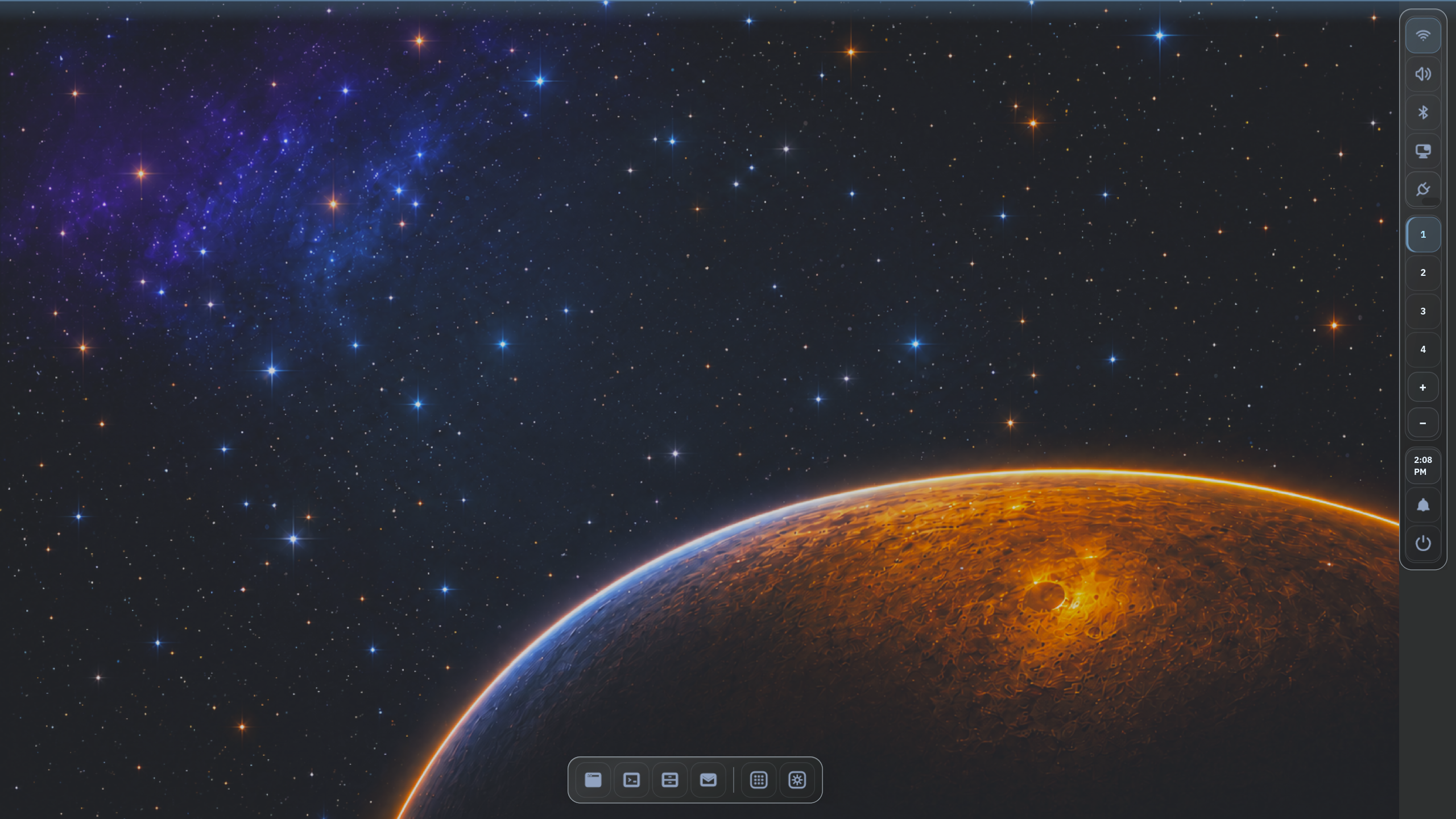
FocalDesk in 60 seconds
A complete desktop built around explicit boundaries.
FocalDesk is a working Rust desktop environment—not a compositor demo. I built the compositor, shell, native applications, session services, capture pipeline, credential boundary, and permissioned AI integration as one coherent system.
- Runs on real hardware: a Vulkan backend presents directly through DRM/KMS, with XWayland compatibility and independent SDR/HDR rendering per monitor.
- Designed for failure: typed IPC keeps slow or recoverable services outside the frame loop.
- AI without ambient authority: agents get bounded tools and native, one-shot approval for mutations.
Creator and lead developer across product direction, compositor, shell, services, native apps, integration, and testing.
384 Rust files and 299 commits across a service-oriented Rust workspace, measured October 2026.
Vulkan rendering, direct DRM/KMS output, XWayland, and per-monitor SDR/HDR rendering on real hardware.
The challenge
Build a desktop, not just a compositor demo.
A usable Linux desktop has to coordinate rendering, input, windows, workspaces, applications, system controls, capture, and session state. Putting all of that inside one compositor process would make failures harder to isolate and future automation harder to control.
FocalDesk keeps the compositor focused on the display and interaction loop while recoverable services handle application launching, power, notifications, dialogs, controls, settings, and AI requests.
System design
A compositor-centered, service-oriented architecture
Native Wayland and XWayland clients meet at the compositor. Its Vulkan renderer presents directly through DRM/KMS and selects SDR or HDR rendering per monitor, while typed IPC creates a boundary around supporting desktop services.
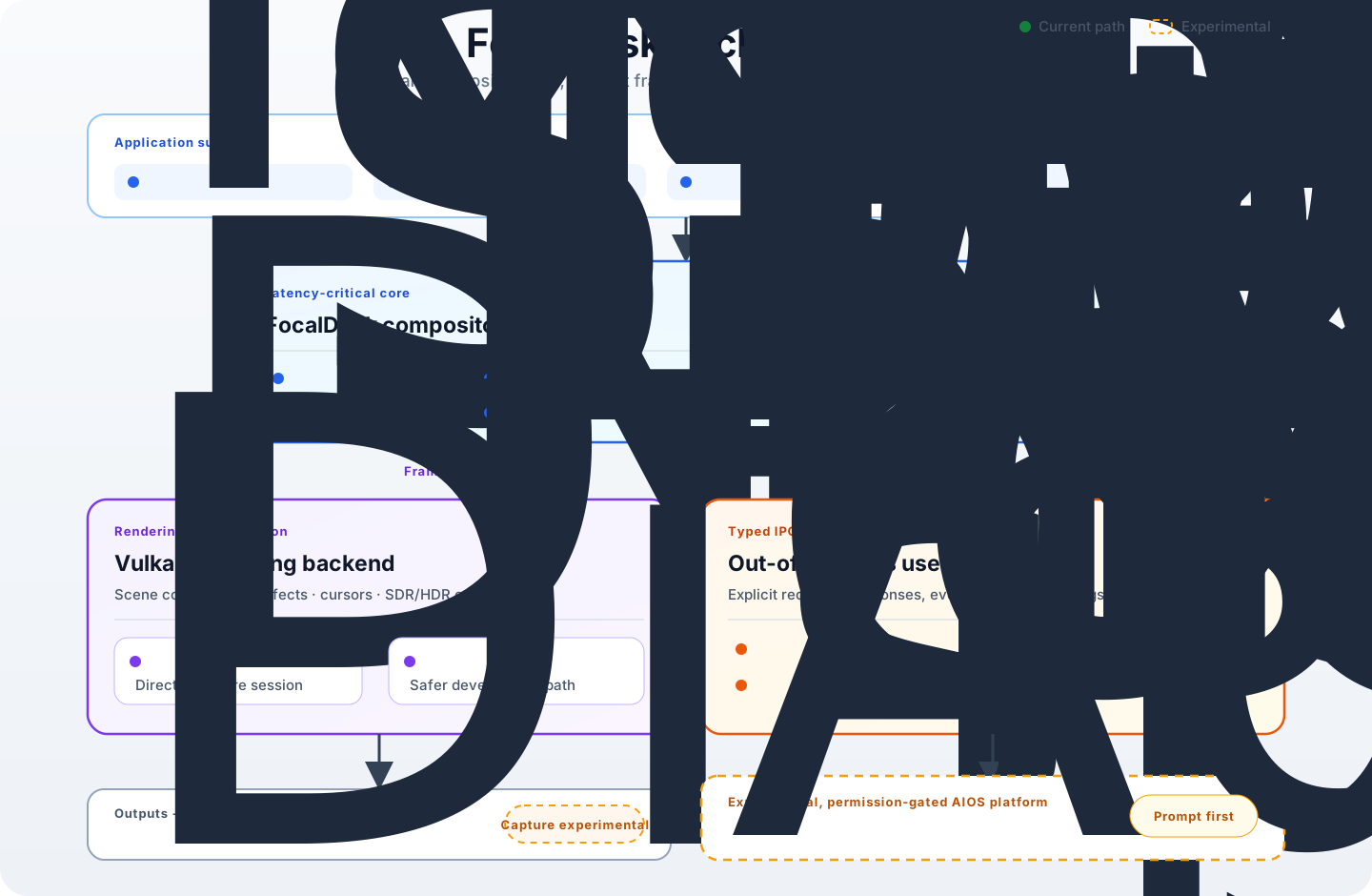
Keep the frame loop focused
Window management, input, rendering, outputs, and shell behavior remain the compositor's core responsibility.
Isolate supporting services
Launch, power, notifications, dialogs, and controls run out of process and communicate through explicit IPC.
Give agents capabilities, not ambient authority
AI observes the desktop through bounded tools, while mutating actions require a fresh native approval for their exact arguments.
Engineering decisions
Choose foundations by fit, not fashion.
Each major technology choice started with the failure modes, ownership boundaries, and maintenance burden of a complete desktop session—not with a preference for the newest or most powerful tool.
Smithay over wlroots
- Constraint
- Keep direct ownership of a Rust-native compositor, rendering path, IPC model, session, and desktop services.
- Decision
- Use Smithay's reusable Wayland building blocks without adopting a prescribed shell or adding a C integration layer.
- Tradeoff
- More of the product architecture remains FocalDesk's responsibility, but its boundaries can evolve as one coherent Rust system.
Rust for the session-critical core
- Constraint
- A compositor coordinates graphics buffers, hardware, input, IPC, and asynchronous services; a fault can take down the session.
- Decision
- Use compile-time ownership and concurrency checks to prevent common memory and shared-state failures while retaining low-level control.
- Tradeoff
- Stricter implementation constraints and longer compile cycles buy stronger invariants in code that must remain responsive.
Vulkan for the rendering backend
- Constraint
- Desktop composition, direct scanout, and per-monitor SDR/HDR output need explicit control over color, formats, synchronization, and presentation.
- Decision
- Use a Vulkan rendering backend with direct DRM/KMS presentation, retaining the control needed to manage each output's SDR or HDR path.
- Tradeoff
- Vulkan adds explicit resource and synchronization complexity, but keeps the DMA-BUF → FP16 → PQ → atomic KMS path inspectable where HDR is enabled.
A dedicated session manager
- Constraint
- Desktop services must start in a predictable order, be supervised independently, and terminate cleanly at logout.
- Decision
- Own the session lifecycle between the display manager, compositor, and supporting user services.
- Tradeoff
- FocalDesk must implement startup, shutdown, state tracking, and failure handling instead of inheriting another desktop's behavior.
Engineering deep dive
Keep variable-latency work out of the frame loop.
A compositor cannot treat application launches, power operations, notification handling, hardware controls, or model requests like ordinary in-process UI work. Any one of them can block, fail, or wait for a person—while input and rendering still need to remain responsive.
I drew the boundary around what must remain compositor-owned: surfaces, focus, workspaces, input routing, shell state, outputs, and frame coordination. Supporting work moves into recoverable user services and crosses explicit request, response, and event contracts.
The desktop must keep drawing when a service is slow.
Long-running work cannot share ownership of the rendering and input loop.
Use typed IPC and separate user services.
Launch, power, notifications, dialogs, controls, settings, and automation can evolve or restart independently.
More process boundaries require more discipline.
Message contracts, failure handling, logging, service discovery, and permissions become explicit engineering work.
A smaller critical core with visible safety boundaries.
The architecture isolates recoverable work and gives AI requests a native approval path before an action proceeds.
Permissioned desktop AI
Let an agent help without handing it the desktop.
FocalDesk treats model output as untrusted input. The AI daemon owns providers, streaming, memory, and planning outside the compositor, then reaches desktop state through the same typed IPC contracts used by first-party services.
A deliberately read-heavy MCP adapter translates those contracts into bounded tools. The built-in agent can inspect session, output, window, workspace, service, log, and rendering state, but it cannot silently turn a natural-language request into desktop authority.
One service boundary across local and hosted models.
OpenAI, Anthropic, Ollama, and vLLM share streaming, cancellation, bounded retry, health, latency, traffic, and token telemetry.
Memory is opt-in, bounded, and erasable.
Contextual memory defaults to 90-day retention and 10,000 records, migrates transactionally, prunes automatically, and requires fresh approval for deletion.
Planning does not grant permission to act.
Plans contain at most four tool calls. Read-only calls run through the audited MCP backend; at most one mutation may be proposed as the final step.
The person approves the stored action—not the model's wording.
A mutation is held under a random, two-minute plan ID. A native prompt shows its exact stored arguments, consumes approval once, and rejects model-generated confirmation fields.
From a desktop agent to an agent platform
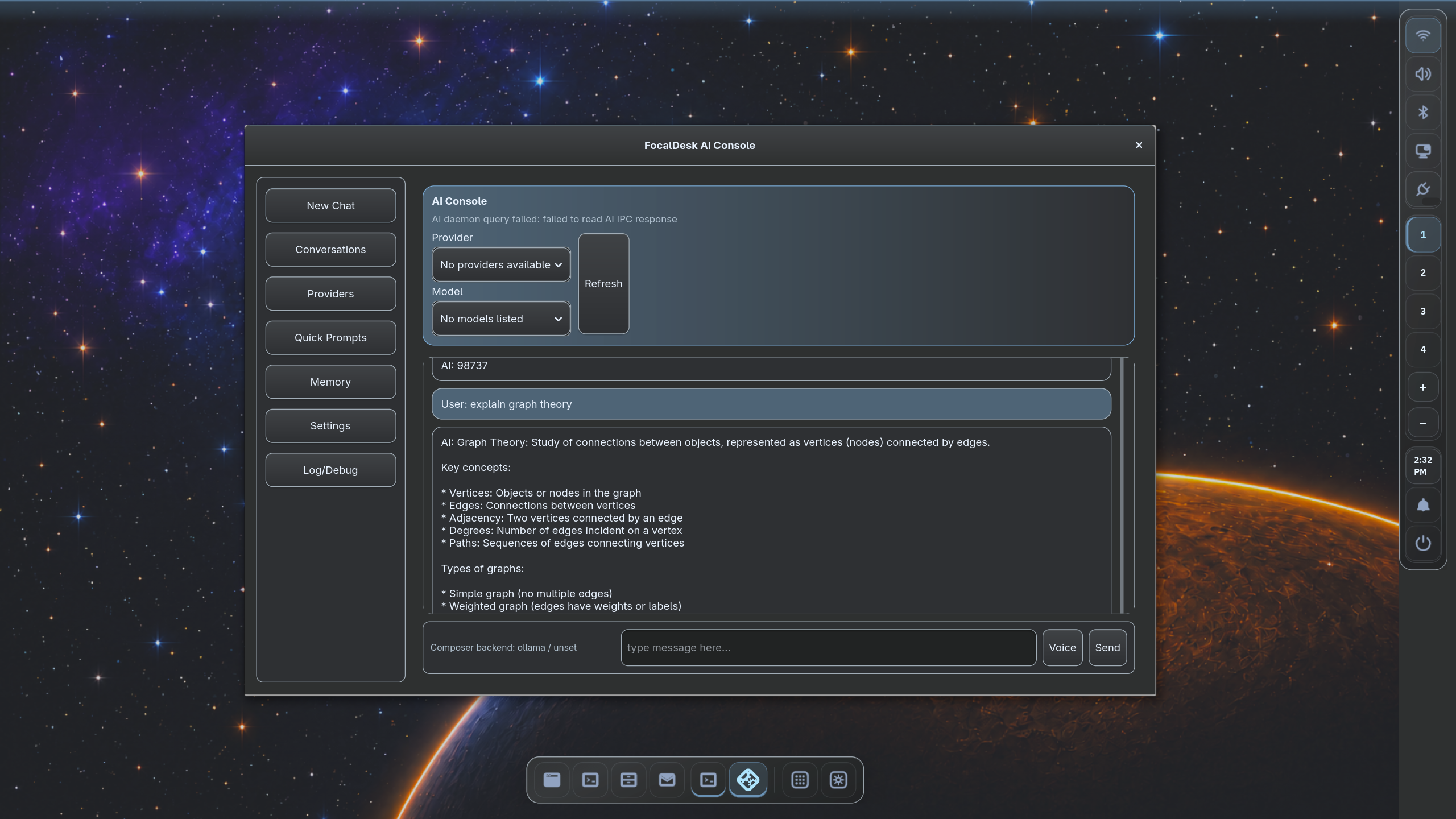
The AI Console now includes AIOS: Agent Studio and a bounded workflow supervisor, scoped and expiring capability leases, and opt-in voice, context, event, and connector services. Mission Control provides a privacy-minimized view of activity; Scenario Lab evaluates safety behavior in an isolated shadow runtime. Signed packages can be inspected, tested, staged, and managed through Package Manager and Package Forge, with an optional private registry. These capabilities remain experimental and permission-gated.
Repository evidence · October 2026
The scope is visible in the source.
These figures come from the public workspace and CI configuration. They describe engineering breadth—not a promise of production maturity.
Systems code spanning compositor, applications, libraries, desktop services, security, and integration.
Applications, shared libraries, compositor components, credential broker, and user services.
A broad implementation surface with explicit boundaries instead of one compositor monolith.
Iterative engineering across graphics, IPC, applications, services, testing, and documentation.
Working system
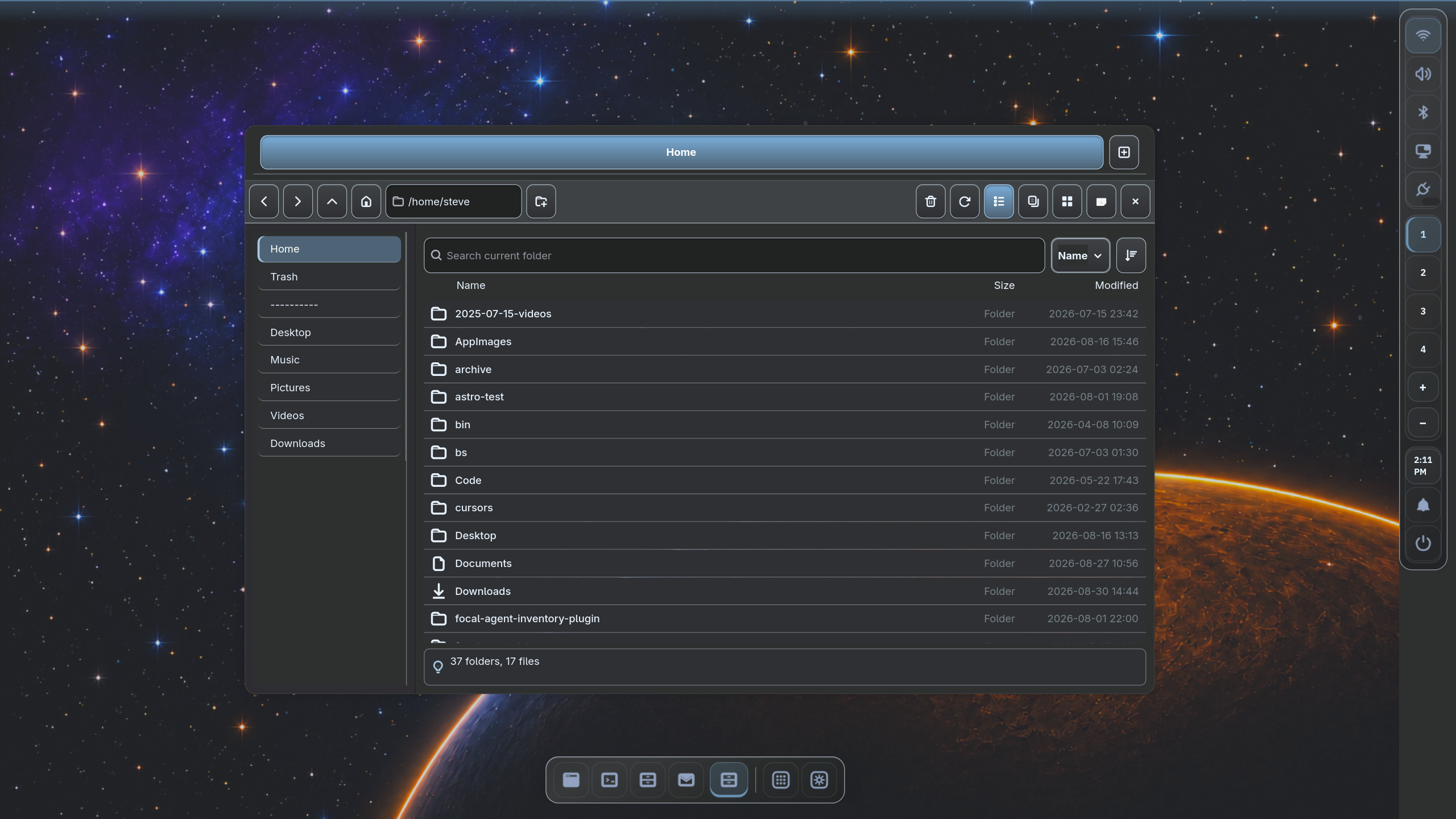
Usable prototypes exercise the complete system.
First-party applications are deliberately labeled prototypes. Their job is to test the compositor, service boundaries, visual language, and everyday workflows together rather than in isolation.
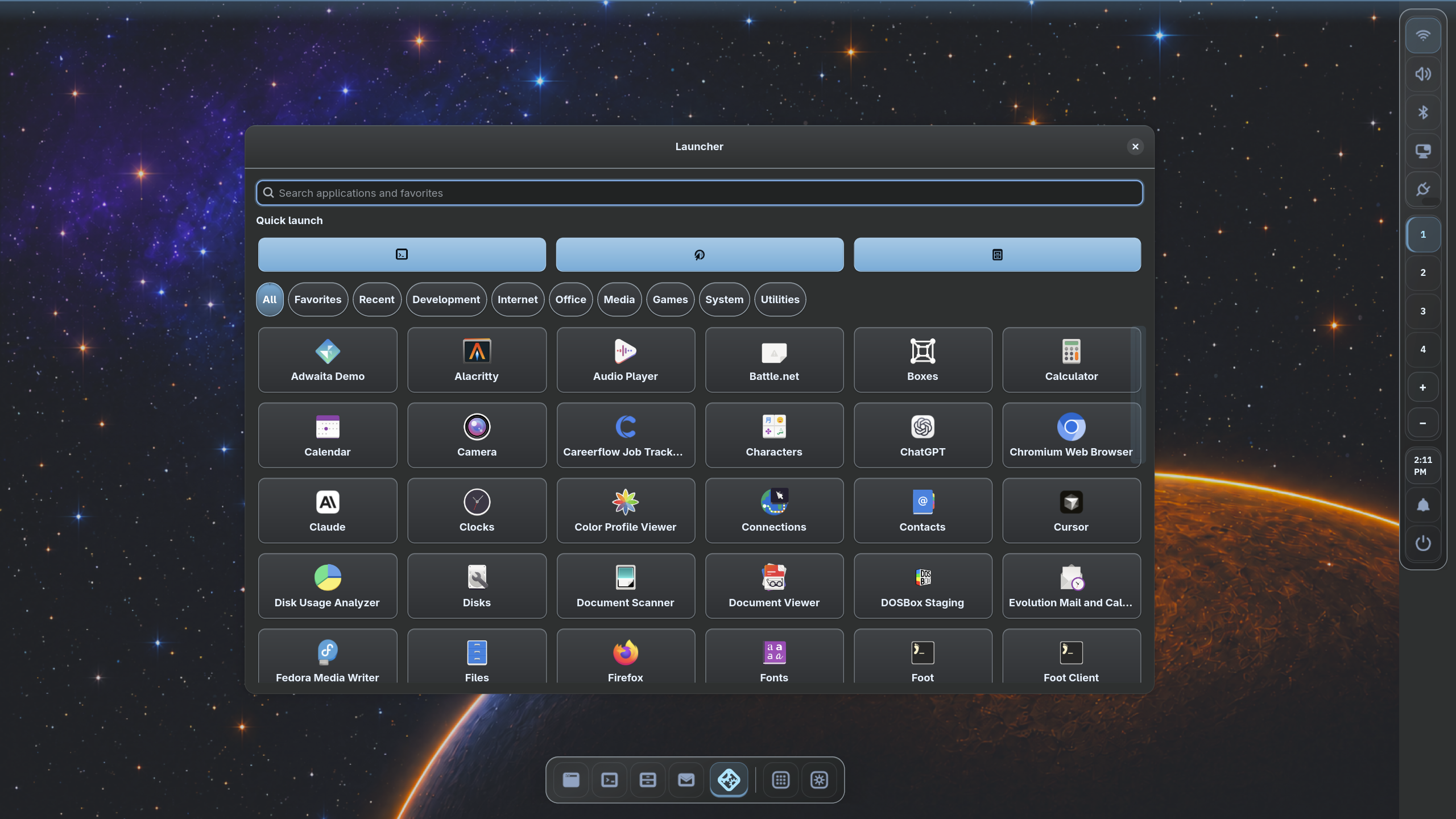
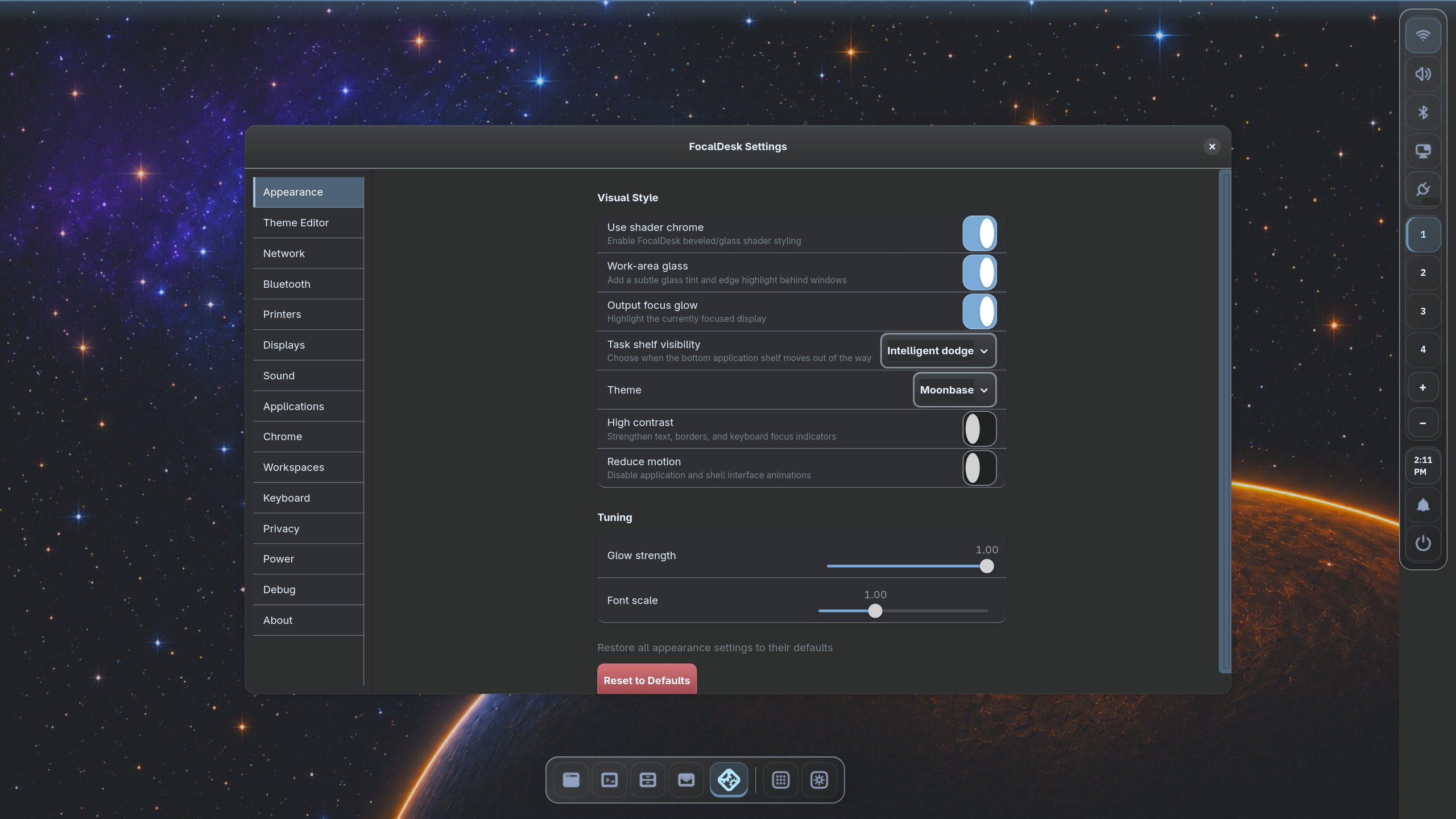
Compatibility proof
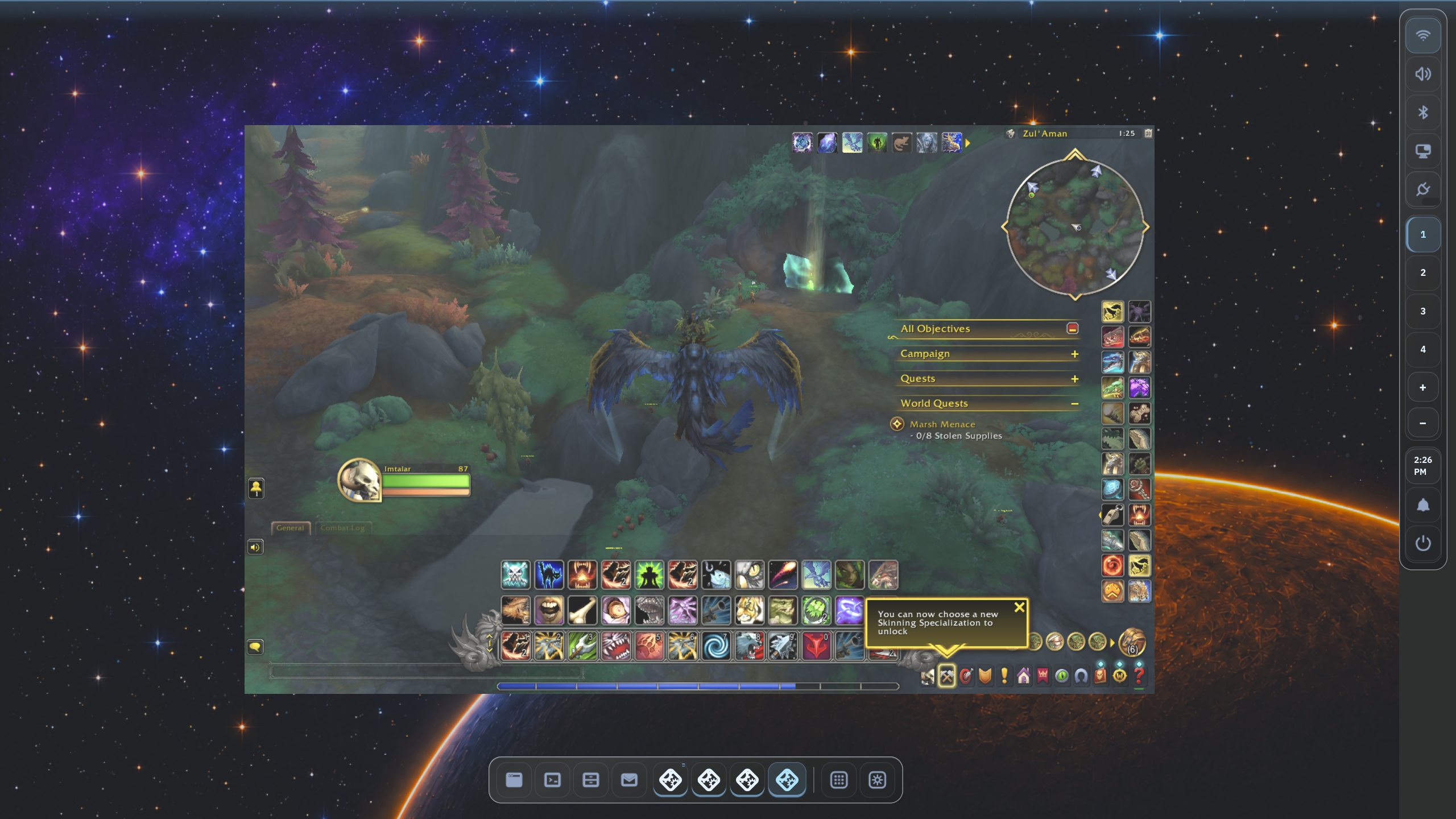
Tested with real graphics workloads.
A known-working World of Warcraft setup through Wine and DXVK validates more than appearance. It exercises XWayland, Vulkan translation, GPU acceleration, input handling, and high-performance rendering without implying compatibility with every game, driver, or Wine version.
Where it stands
Useful today, deliberately labeled alpha.
Working alpha
- Native Wayland compositor and desktop shell
- Vulkan rendering backend with direct DRM/KMS output
- Workspaces and multi-monitor layout
- Opt-in split-screen window layouts with keyboard placement and resizing
- XWayland application support
- Per-monitor SDR/HDR rendering
- Wide-gamut SDR and HDR10 presentation
- RGBA_F16 browser output
- Typed service boundaries and native permission prompts
- Precise subsurface damage tracking with safe fallbacks
- Encrypted credential broker with native ACLs and Secret Service compatibility
Experimental or evolving
- Installation and packaging experience
- Further color-management protocol coverage and calibration workflows
- Further Vulkan HDR renderer and mixed-output color-pipeline work
- Calibrite Display Plus HL measurement validates HDR10/PQ output, D65-tolerant whites, and HDR luminance headroom
- Settings, Files, Launcher, and AI Console product polish
- Local and hosted AI providers with bounded retries and telemetry
- Opt-in contextual memory with retention and deletion controls
- Permission-gated MCP agent and automation workflows
- AIOS voice, connector, event, and package ecosystems are evolving
Go deeper
Read the engineering documentation.
The repository contains the living build, architecture, IPC, rendering, workspace, and contributor documentation.